
Product Information
|
Item Name:
American Sign Language Clip and Create 4
Our Price: $39.95
Release Date: 2005-4
|
|
Product Details: Note: If you have already purchased the original */Clip and Create/*, or
the second or third upgrade (i.e., */Clip and Create 2/* or */Clip and
Create 3/*), you can get */Clip and Create 4/* for just $25 plus $4 for
shipping and handling, a savings of $15. Just send in your old version
and payment information to our mailing address, and we will immediately
process your request. New features for Clip and Create 4 include:
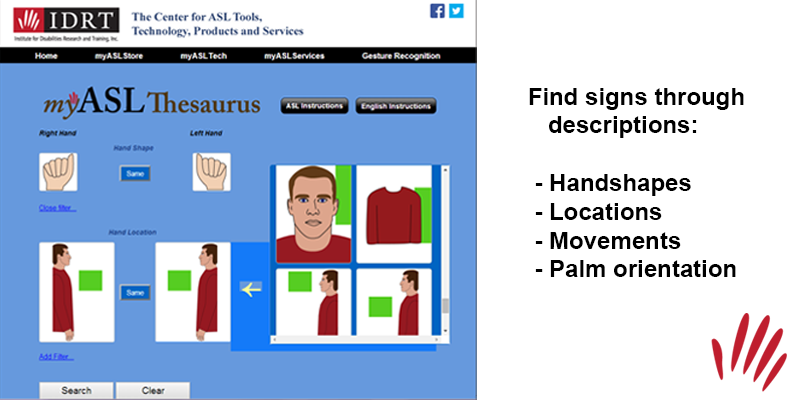
Over 5,000 sign pictures (more than 1,500 new signs)
Sign-O pictures are larger
Print the User's Guide
Access the categories from Custom Print section
More categories of signs to choose from
Print the pictures in grid and individual form directly from the dictionary
|
|
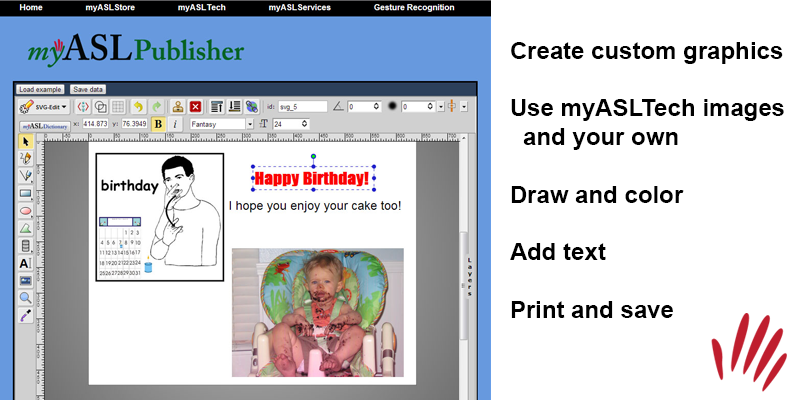
The Custom Printing section allows you to create various types of
materials (e.g., single and double-fold cards, stationary, 2-5 page
banners, labels). Once you have selected the type of material you want
to make, you can import sign clipart from the dictionary, use shapes or
draw freehand, add text, import other images, and of course, save,
and/or print your creation. A layering feature allows you to decide
which pictures to move to the front, and which to move to the back. Each
of your creations can be saved within the program, or as a bitmap, to be
used in other programs.
|
|
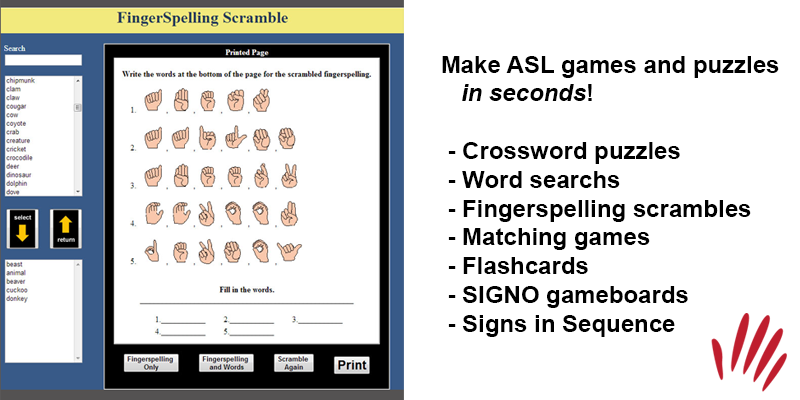
ASL Clip and Create 4* contains six templates that can be customized by
using any of the vocabulary in the dictionary. Make your vocabulary
selections, and get instantaneous crossword puzzles, word searches,
SIGN-O cards, fingerspelling scrambles, and ABC order worksheets. An
Alternate Display button allows you to retain the same vocabulary but
create different worksheets. All templates can be saved within the
program or as bitmap files!
|
|
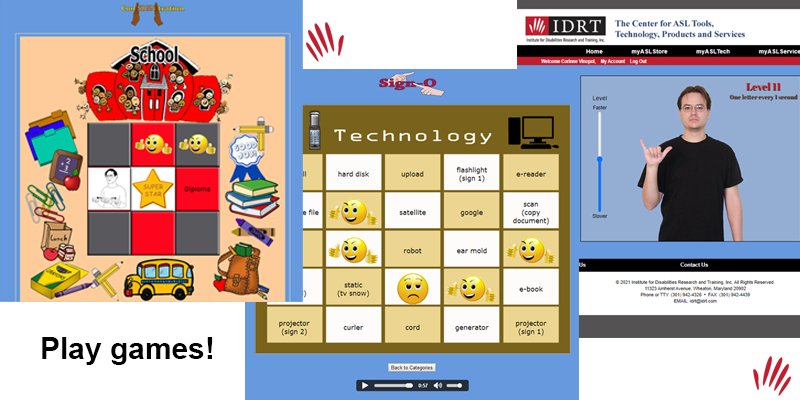
There are four games on this software too:
* Con-SIGN-tration requires the player to match a sign picture with its
English word equivalent. There are nine categories of words and two
levels of challenge. The game keeps score of clicks and matches, and
entertains with an animation when the game is complete. Because it
randomizes every time it is played, there is always a new challenge.
* Spell Well can be played on any of six categorical gameboards. Use the
keyboard on the screen or your own to spell the English word equivalent
of each sign picture that appears. Your game piece will follow the trail
until you reach the end, when an animation appears.
|
|
* Match Madness is a vocabulary matching speed game. You have four
gameboard choices. Once you have picked your gameboard, you can choose
your level of challenge by deciding how many words will appear
simultaneously (2-6). Click on the word that matches the sign picture
that appears. To win, make 10 correct matches before the third item drops.
* Sort It Out! focuses on categorization skills. A menu appears that
asks you to decide the number of categories into which you must sort
pictures containing signs and words. After choosing your number of
categories, a screen appears with that number of categories and the
names of the categories. The categories change every time you play. As a
sign and word appear on the screen, you must click on the right
category. The game keeps score of the number of clicks and correct
choices. When the game is over, you final score is given.
Minimum System Requirements:
* Windows 98 SE
* Pentium II
* CD-ROM Drive
* 64 MB memory
|
|
Return
|
|
|
© 2007 Institute for Disabilities Research and Training, Inc. All Rights Reserved.
11323 Amherst Avenue, Wheaton, Maryland 20902 V/TTY: (301) 942-4326
FAX: (301) 942-4439
Email: sales@idrt.com
|
| |